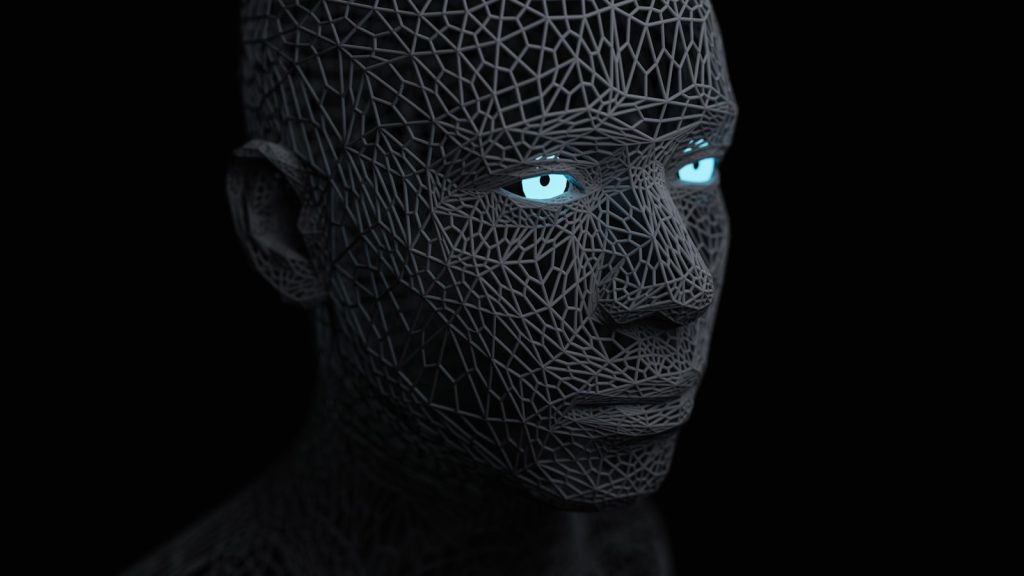

Generative AI can now produce a photorealistic portrait, a convincing deepfake video, or a flawlessly worded essay in seconds — which means the odds that you’ll run into AI-generated content today, whether you notice it or not, are higher than ever. Knowing how to spot AI-generated images, videos, and text has quietly become a basic literacy skill, useful for everything from scrolling social media to grading homework to vetting a viral news photo before you share it.
This guide walks through the visual, audio, and textual red flags experts actually use, the free and paid detection tools worth trying, and why none of them are perfect.
Whether you’re a parent, a student, a small business owner, or just someone trying to avoid embarrassing yourself by sharing a fake, the habits below apply well beyond any single platform or news cycle. Learning to spot AI-generated images, video, and text has quickly become a basic form of digital literacy.
Key Takeaways
- AI images most often give themselves away through hands, ears, jewelry, background text, and repeating textures rather than obvious glitches.
- Deepfake videos tend to break down around blinking patterns, lip-sync timing, and lighting that doesn’t match the rest of the scene.
- AI-written text tends to be unusually uniform in sentence length and rhythm, and often leans on generic transitions and vague specifics.
- Dedicated detection tools like GPTZero, Winston AI, Hive Moderation, and Sightengine can help, but every one of them produces false positives and false negatives.
- Reverse image search, metadata checks, and cross-referencing the original source remain the most reliable verification methods, AI tools included.
Why AI-Generated Content Is Everywhere in 2026
Image generators, video models, and chatbots have become fast, cheap, and easy to use, which means AI-generated content no longer requires technical skill to produce at scale. Political operatives use it for propaganda images, scammers use it for fake product photos and cloned voices, students use it to draft essays, and ordinary social media users use it simply because it’s fun and fast. That volume is exactly why researchers, journalists, and everyday readers increasingly need a working sense of how to spot AI-generated images and videos before trusting or sharing them.
Why it matters: The line between “obviously fake” and “convincingly real” AI content keeps shrinking, so relying on gut instinct alone is no longer enough.
A Brief History: How AI-Generated Media Evolved
The current wave of AI-generated content didn’t appear overnight. Early “deepfake” face-swap videos emerged around 2017 using generative adversarial networks, or GANs, a technique that pits two neural networks against each other until one produces convincing fakes and the other can no longer tell them apart. Those early GAN images were often easy to spot: warped backgrounds, asymmetrical faces, and obvious artifacts around hair and glasses were common. Understanding this history makes it easier to spot AI-generated images today, since many of the same visual artifacts have simply become more subtle.
The shift to diffusion models around 2022, popularized by tools like Midjourney, DALL-E, and Stable Diffusion, marked a major leap in image quality, trading GAN-style glitches for new failure points like garbled text and inconsistent hands. Video followed a similar trajectory, moving from crude face-swaps to full text-to-video generation capable of producing entire scenes from a written prompt. Text generation followed its own path, from simple autocomplete tools to large language models capable of sustained, coherent, human-like writing across almost any topic or style.
Why it matters: Each generational leap in AI media quality has also shifted where the detectable flaws show up, which is why detection guides need regular updates rather than a single fixed checklist.
The Telltale Signs of AI-Generated Images
Image generators have gotten dramatically better at faces, but they still struggle with a handful of consistent problem areas. Hands and fingers remain a classic tell — look for extra or missing fingers, fused knuckles, or fingers that bend at anatomically impossible angles. Ears, teeth, and eyes are another weak spot: earrings that don’t match between ears, teeth that are too uniform or blend together, and eyes with mismatched reflections or catchlights that don’t align with the scene’s light source are all common giveaways. These small imperfections are often the fastest way to spot AI-generated images at a glance.
Backgrounds are also worth a close look. AI models frequently produce warped or melting architecture, text on signs or clothing that resembles gibberish or a nonsense alphabet, and repeating patterns in textures like grass, bricks, or fabric that don’t occur naturally. Reflections in mirrors, windows, and water are another frequent failure point, often showing a different scene than what they’re supposed to be reflecting. Finally, zoom into skin: AI portraits often have an oddly smooth, waxy texture, or conversely an unnatural, overly uniform pore pattern repeated across the face.
Why it matters: These are the same checks photo editors and fact-checkers use before publishing a viral image, and they don’t require any special software — just a closer look.
How to Spot an AI-Generated Video or Deepfake
Video adds a time dimension that trips up AI models in ways static images don’t. Blinking is a well-known tell: early deepfakes barely blinked at all, and while newer models have improved, blink timing and frequency can still look slightly off or too regular. Lip-sync is another weak point — audio and mouth movements that drift out of sync, or mouth shapes that don’t quite match the sounds being made, are strong signals of manipulation.
Lighting consistency is one of the hardest things for AI video to fake convincingly. Watch for shadows that don’t move naturally as a person turns their head, or lighting on a face that doesn’t match the lighting in the rest of the frame. Skin and hair can also flicker or shimmer subtly between frames, and edges around the head, ears, or glasses may warp slightly during fast movement. Audio deserves attention too: cloned voices often carry a flat, slightly robotic tone, unnatural pacing, or breathing patterns that don’t match natural speech.
Why it matters: Deepfake video is the format most likely to be used for fraud, harassment, or disinformation, so these checks matter well beyond idle curiosity.
Warning Signs in AI-Written Text
AI-generated writing has its own fingerprint, even when the grammar is flawless. Look for unusually uniform sentence length and rhythm — human writers naturally vary between short punchy sentences and longer, more complex ones, while AI text often settles into a steady, repetitive cadence. Generic transitional phrases like “in conclusion,” “it’s important to note,” or “in today’s fast-paced world” show up far more often in AI text than in typical human writing.
Another giveaway is vagueness dressed up as authority: AI text often makes confident-sounding claims without specific names, dates, numbers, or sources attached, because the model is optimizing for plausible-sounding language rather than verified fact. Watch, too, for oddly balanced “on the one hand, on the other hand” framing on topics that don’t really call for it, and for repeated phrasing or structural patterns if you compare multiple paragraphs from the same piece.
Why it matters: Written content is the hardest category to detect reliably, which is exactly why relying on multiple signals — not just one tool’s score — matters most here.
Free and Paid AI Detection Tools Worth Trying
A growing category of dedicated tools tries to automate these checks. For text, GPTZero and Winston AI are two of the most widely used detectors, both offering free tiers alongside paid plans aimed at educators and publishers; QuillBot and Copyleaks are common alternatives that also flag AI-written passages with a confidence score. For images and video, Sightengine, DeepAI’s image detector, and Hive Moderation all offer APIs or web tools that scan uploads for AI-generation artifacts and return a probability score rather than a simple yes-or-no answer. Trying a couple of these tools side by side is one of the most reliable ways to spot AI-generated images with confidence.
Most of these tools work best as a second opinion rather than a final verdict. They tend to perform better on unedited, high-resolution files and struggle more with content that’s been resized, compressed, cropped, or run through a “humanizer” tool designed specifically to evade detection. If you’re checking something important, it’s worth running it through more than one detector and treating a high AI-probability score as a prompt for closer manual inspection rather than proof on its own.
It helps to know what each tool is actually built for. GPTZero was originally built for teachers and focuses on flagging AI-written student work, using sentence-level highlighting rather than a single overall score. Winston AI targets publishers and SEO teams, emphasizing high accuracy claims and plagiarism checks alongside AI detection.
Hive Moderation and Sightengine are aimed more at platforms and enterprises needing to screen large volumes of uploaded images and video automatically, often via API rather than a simple web upload. DeepAI’s free image detector is a good lightweight option for a single one-off check without creating an account.
Matching the tool to the task — bulk moderation versus a single suspicious photo versus a classroom essay — tends to produce more useful results than defaulting to whichever detector is most popular.
Why it matters: No single tool should be the only thing standing between you and a costly mistake, whether that’s publishing a fake photo or accusing someone of using AI when they didn’t.
Why No AI Detector Is 100% Accurate
Every detection tool faces the same core problem: it’s trained to recognize patterns from current AI models, and those models keep changing. That creates a constant arms race — as detectors get better at flagging one generation of AI content, the next generation of generators is trained partly to avoid exactly those tells. This produces both false positives, where genuine human work gets flagged as AI-made, and false negatives, where AI content slips through undetected. Even so, running a suspicious photo through more than one tool remains one of the best ways to spot AI-generated images accurately.
Text detectors are especially prone to false positives on writing that’s simple, repetitive by necessity, or written by non-native English speakers, whose natural phrasing patterns can resemble the “uniform” style detectors are trained to flag. Image and video detectors, meanwhile, can be fooled by re-compression, filters, or minor edits that disrupt the subtle statistical fingerprints they rely on. That’s why serious fact-checkers and newsrooms treat detector scores as one data point among several, never as a standalone verdict.
Why it matters: Overtrusting a detector’s percentage score can cause just as much harm as ignoring the warning signs altogether — both students and journalists have faced real consequences from false AI-detection accusations.
How to Verify Images and Videos Like a Journalist
Professional fact-checkers rarely rely on visual instinct or AI-detection tools alone. Reverse image search — using Google Images, TinEye, or Bing Visual Search — is often the fastest way to find whether an image has circulated before, in a different context, or with a caption that reveals it as illustrative or synthetic. Checking a file’s metadata, where available, can reveal the software used to create or edit it, along with timestamps that may not match the claimed event.
Cross-referencing matters just as much: does the same photo or video appear on the original poster’s other accounts, or on a verified news outlet? Are other credible sources reporting the same event from different angles? Reading the comments and replies on the original post can also surface early corrections or debunks from other users. None of these steps require special software, just a habit of pausing before sharing.
Why it matters: These manual verification habits catch a wider range of fakes than any single AI detector, because they check context and history, not just pixels.
Spotting AI Content on Social Media, in the News, and in the Classroom
Context changes what to look for. On social media, check the poster’s account history, look at whether hashtags or captions mention AI generation, and be suspicious of accounts that post unusually polished images with little other activity. In news content, reputable outlets increasingly label AI-generated or AI-assisted images, so an absence of that disclosure alongside an unusually dramatic or “too perfect” photo is worth extra scrutiny — cross-check with wire services like AP or Reuters before trusting a viral image. Taking a moment to cross-check is often all it takes to spot AI-generated images before they go viral.
In education, instructors weighing AI-writing concerns are increasingly advised to combine detection tools with process-based evidence, such as document version histories, drafts, or in-class writing samples, rather than relying on a single detector score to make an accusation. That combined approach reduces the risk of falsely penalizing a student whose legitimate writing style happens to trigger a detector.
Why it matters: The stakes of getting it wrong differ sharply by context — a misidentified meme is trivial, but a false accusation in a classroom or a misidentified image in a news story can cause real harm.
Common Myths About Spotting AI Content
A few widely repeated “rules of thumb” for spotting AI content are outdated or unreliable, and worth retiring. The claim that “AI images always have six fingers” was true of early generators but is no longer a safe assumption, since newer models have largely corrected obvious hand errors — though hands remain a weak spot worth checking, just not a guaranteed tell. Similarly, the idea that AI-written text always contains the phrase “as an AI language model” reflects sloppy, unedited output rather than a general rule; most AI text in circulation has been edited specifically to remove such giveaways.
Another myth is that AI detectors give a definitive yes-or-no answer. In reality, most tools return a probability or confidence score, not a certainty, and that score can shift based on file compression, editing, or even the specific version of the detection model being used. Finally, some assume that AI content is always low quality or obviously fake — while that was often true in 2022 and 2023, current-generation tools can produce results that fool even experienced professionals under casual viewing conditions.
Why it matters: Relying on outdated rules of thumb can create false confidence, leading people to trust content they shouldn’t, or dismiss genuine human work as AI-made.
Quick Checklist: 10 Things to Check Before You Trust or Share Content
- Zoom into hands, ears, teeth, and jewelry for asymmetry or anatomical errors.
- Check any visible text in the image for gibberish letters or nonsense words.
- Look at reflections in mirrors, glasses, and water for mismatches with the scene.
- Watch for repeating textures in backgrounds, fabric, or foliage.
- For video, watch blink rate and lip-sync timing closely.
- Compare lighting and shadows on the subject against the rest of the frame.
- For text, check whether sentence length and rhythm feel unusually uniform.
- Run a reverse image search to see where else the file has appeared.
- Check the poster’s account history and other posts for context.
- Run suspicious files through more than one AI detection tool before drawing conclusions.
What to Do If You Suspect AI Content Was Used Against You
If you believe a deepfake video, cloned voice, or AI-generated image has been used to impersonate you, defraud you, or damage your reputation, start by preserving evidence: save the original file, the URL where it appeared, timestamps, and any account information for whoever posted it, since platforms and investigators will need this to act. Most major social platforms now have dedicated reporting categories for synthetic or deceptive media, which typically move faster than a general abuse report. Documenting exactly where you saw it also helps professionals confirm whether it was truly used to spot AI-generated images maliciously against you.
For financial scams involving cloned voices or fake video calls impersonating a relative or executive, verify independently through a known phone number or in-person contact before taking any requested action, especially anything involving money or sensitive information. If the situation involves harassment, non-consensual imagery, or targeted fraud, it’s worth contacting local law enforcement or a legal advisor, since a growing number of jurisdictions now have specific statutes covering malicious deepfakes. Documentation gathered early tends to matter far more than a delayed, thorough investigation later.
Why it matters: Knowing the reporting and evidence-preservation steps in advance can significantly speed up a resolution if you’re ever targeted, rather than scrambling to figure it out under pressure.
The Bigger Picture: Why Media Literacy Matters More Than Ever
Detecting AI-generated images, videos, and text is quickly becoming as fundamental as spotting a phishing email once was. As the tools driving this content keep evolving, the specific tells described here will keep shifting too, which is exactly why understanding the underlying principles — inconsistency, implausibility, and lack of verifiable sourcing — matters more than memorizing any single checklist. For a broader look at how these underlying AI models work and where the technology is headed, see our AI Explained hub.
Frequently Asked Questions
Is there a completely free way to check if an image is AI-generated?
Yes. Tools like DeepAI’s image detector and Sightengine offer free web-based checks, and pairing them with a reverse image search covers most everyday verification needs without any cost. Running the same file through a second tool is a good habit whenever you want to reliably spot AI-generated images.
Can AI detectors be wrong?
Yes, regularly. All AI detectors, for both text and images, produce false positives and false negatives, which is why experts recommend treating their results as one signal among several rather than a definitive answer.
What’s the single biggest giveaway in an AI-generated image?
There’s no one universal tell, but hands, ears, background text, and reflections are among the most consistently unreliable details in current AI image generators. Combining several of these clues is still the most dependable way to spot AI-generated images with real confidence.
How can I tell if a video is a deepfake?
Look closely at blinking patterns, lip-sync accuracy, and whether lighting and shadows on the face match the rest of the scene — inconsistencies in these areas are the most common deepfake tells.
Do AI writing detectors work on ChatGPT and other chatbots equally well?
Detection accuracy varies by model and by how much a text has been edited after generation; heavily edited or “humanized” AI text is significantly harder for any detector to catch. The same layered approach — checking more than one signal — also helps when you try to spot AI-generated images rather than relying on a single tool.
Will AI detection tools eventually become 100% accurate?
Most researchers think a perfect detector is unlikely, since detection and generation improve in response to each other; the realistic goal is closing the gap enough that detection stays useful, not eliminating it entirely.
Is it illegal to create or share AI-generated deepfakes?
Laws vary by country and by use case, with many jurisdictions specifically restricting non-consensual deepfakes, election-related disinformation, and impersonation for fraud, while general AI-generated art and satire are typically treated differently.



Pingback: Smart Glasses to Smart Rings: 7 Essential Wearable Tech Leaks for 2026 - The Viral Minute
Pingback: How to Spot a Phishing Email: 7 Warning Signs Scammers Don't Want You to Notice - The Viral Minute
Pingback: Digital Privacy in 2026: Complete Protection Guide
Pingback: Top 10 Stories Shaping the World Right Now (July 2026) - The Viral Minute
Pingback: How to Fact-Check Viral News: 7 Proven Steps