
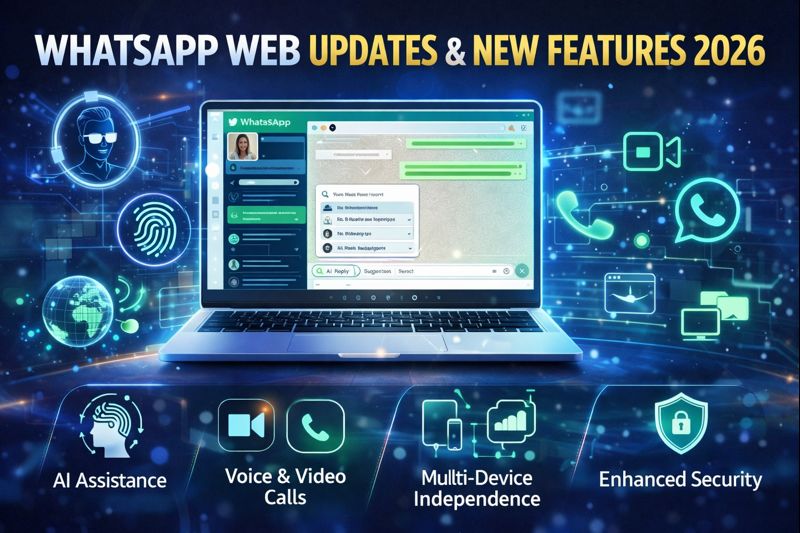

WhatsApp Web latest updates in 2026 introduce AI assistance, advanced calling, stronger security, and true device independence. Here’s everything new and what’s next.
Introduction: Why WhatsApp Web Is a Big Deal in 2026
In 2026, **WhatsApp Web has crossed an important threshold. What started years ago as a simple browser mirror of a phone app has evolved into a fully capable communication platform used for work, communities, customer support, and everyday conversations.
The shift didn’t happen overnight. But over the past 18 months, WhatsApp Web has undergone some of its most significant changes since launch. Performance upgrades, deeper feature parity with mobile, and a growing focus on productivity have transformed how people use it—especially in professional and multi-device environments.
This evolution reflects a broader strategy from Meta: keep users inside the WhatsApp ecosystem no matter which device they’re on. As email usage plateaus and collaboration tools fragment, WhatsApp Web is positioning itself as a lightweight but powerful alternative for fast, secure communication.
As of today in 2026, WhatsApp Web is faster, smarter, and more independent than ever before. Below is a comprehensive, up-to-date breakdown of what’s new, what’s improved, and what users can realistically expect next.
Key Facts at a Glance
- Platform: WhatsApp Web
- Year of updates: 2026
- Core focus: Multi-device independence, AI tools, productivity
- Biggest shift: Web no longer relies on a constantly connected phone
- Who benefits most: Remote workers, businesses, heavy desktop users
What’s New in WhatsApp Web in 2026
True Multi-Device Independence
One of the most important updates in 2026 is the near-complete removal of phone dependency. While earlier versions required periodic phone connections, WhatsApp Web can now stay active for extended periods even if your phone is offline.
This is a major change for:
- Office users who keep WhatsApp open all day
- Travelers switching between devices
- Businesses using shared systems
Messages sync reliably across devices with minimal delay, making WhatsApp Web feel like a standalone product rather than a companion.
Built-In AI Assistance (Quietly Rolled Out)
In 2026, WhatsApp Web began integrating AI-powered features—subtly, but effectively.
Current AI-assisted capabilities include:
- Smart reply suggestions based on conversation context
- Message summarization for long group chats
- Draft assistance for professional or customer replies
These tools are optional and designed to enhance speed, not replace human communication. Importantly, Meta has emphasized that end-to-end encryption remains intact, with AI processing handled in privacy-conscious ways.
If you’re tracking how AI features are rolling into everyday consumer tools beyond messaging, our daily briefing breaks down the bigger picture here:
https://theviralminute.com/daily-ai-news-your-indispensable-tech-briefing-for-january-1-2026/
Voice and Video Calling on WhatsApp Web
After years of user demand, WhatsApp Web now supports native voice and video calls directly in the browser.
Key improvements include:
- One-on-one voice and video calls without installing desktop apps
- Improved call stability and lower latency
- Noise suppression and echo reduction
This makes WhatsApp Web far more competitive with platforms like Teams and Zoom for casual or quick conversations.
WhatsApp Web Interface Changes in 2026
Cleaner, Modular Design
The 2026 interface refresh focuses on clarity and efficiency:
- A collapsible chat sidebar
- Improved spacing for long conversations
- Clearer icons for calls, media, and search
The goal is simple: reduce visual noise for users who keep WhatsApp Web open for hours at a time.
Advanced Search and Filters
Finding old messages has become easier thanks to:
- Filters by media type (links, documents, images)
- Date-based message search
- Keyword highlighting
For professionals managing dozens of chats, this alone is a productivity breakthrough.
Security and Privacy Updates
Stronger Session Controls
WhatsApp Web now offers detailed session management:
- See all active devices in real time
- Instantly log out of any session remotely
- Receive alerts for new device logins
This gives users greater confidence when using shared or public computers.
Biometric Lock for Web Sessions
In supported browsers and operating systems, WhatsApp Web can now be locked using:
- Fingerprint authentication
- System-level biometric verification
This mirrors mobile security and helps protect sensitive conversations at work.
WhatsApp Web for Businesses in 2026
Deeper Integration with WhatsApp Business
Businesses using WhatsApp Web benefit from:
- Faster access to saved replies
- Improved labeling and chat organization
- Multi-agent support through browser sessions
Customer support teams increasingly rely on WhatsApp Web as a lightweight CRM alternative.
Automation Without Complexity
While WhatsApp Web does not replace full business APIs, 2026 updates allow:
- Smarter quick replies
- AI-assisted customer response drafts
- Better visibility into unread and pending chats
Performance Improvements You’ll Notice Immediately
WhatsApp Web in 2026 loads faster and consumes fewer system resources.
Under-the-hood upgrades include:
- Improved caching for chats and media
- Reduced memory usage in long sessions
- Faster media preview rendering
These changes are especially noticeable on lower-powered laptops and older systems.
How WhatsApp Web Compares to Desktop Apps Now
The gap between WhatsApp Web and desktop apps has narrowed significantly.
WhatsApp Web advantages
- No installation required
- Faster updates
- Works across operating systems
Desktop app advantages
- Slightly better call performance
- Deeper system integration
For most users, WhatsApp Web is now more than sufficient for daily use.
What’s Missing (As of 2026)
Despite major progress, a few limitations remain:
- Limited group video calling
- No full plugin ecosystem
- Fewer automation tools than enterprise platforms
However, Meta has signaled that more advanced collaboration features are under active development.
Near-Future Developments Expected After 2026
Expanded AI Capabilities
Expected next steps include:
- Automatic meeting summaries
- Sentiment-aware notifications
- Language translation inside chats
Better Integration with Other Meta Platforms
WhatsApp Web may soon integrate more closely with:
- Meta AI assistants
- Cross-platform business tools
- Unified inbox experiences
Enhanced Group Collaboration Tools
Features under discussion include:
- Shared notes in group chats
- Poll analytics
- Lightweight task tracking
Why These Updates Matter
WhatsApp Web’s evolution reflects a larger shift in digital communication. Users want:
- Fewer apps
- Faster responses
- Strong privacy
- Cross-device freedom
By addressing these needs, WhatsApp Web is positioning itself as a central communication hub—not just a messaging app.
Frequently Asked Questions
Is WhatsApp Web independent from the phone in 2026?
Yes, it now works for long periods without requiring a constant phone connection.
Does WhatsApp Web support calls?
Yes, one-on-one voice and video calls are supported directly in the browser.
Are AI features mandatory?
No, AI tools are optional and designed to assist, not replace, users.
Is WhatsApp Web secure?
Yes, it retains end-to-end encryption and offers improved session controls.
Can businesses rely on WhatsApp Web?
Many already do, especially for customer support and communication teams.
Will WhatsApp Web replace email?
Not entirely, but for quick, secure communication, it is increasingly preferred.
Conclusion
WhatsApp Web in 2026 is no longer an accessory—it’s a full-fledged communication platform. With stronger independence, smarter AI tools, built-in calling, and improved security, it now meets the demands of modern users who live and work across multiple devices.
As Meta continues to invest in productivity and intelligence, WhatsApp Web is likely to become even more central to how people communicate globally. For anyone who relies on fast, secure, browser-based messaging, 2026 marks a turning point.



Pingback: Meta Social Media Settlement: 7 Things to Know About the $17.1 Billion Deal - The Viral Minute